Press kit for Nimi Visuals
Looking for more events on Nimi Visuals?
This page displays only latest event related to Nimi Visuals release. Click here to browse more events related to Nimi Visuals.
Nimi Visuals 20260211 released
Nimi Visuals is back after a decade! Nimi Visuals, a windows effects engine, has been refurbished and once again is operational!
After a decade of being unavailable Nimi Visuals project gets a new release 20260211! It has been refurbished and now supports modern operating systems and high DPI environments.
Previous version of Nimi Visuals project had been released over a decade ago. As there were issues with the project requiring complex fixes, but there was lack of resources to work on those, soon project download had been disabled. Finally, it has led to project being automatically marked as "no longer developed".
Making project operational again was challenging (even if changelog length does not indicate that), especially along with Nimi Places project development and other projects. A lot of code had been ported from Nimi Places project, but also a lot of has been ported to it in the process. Notably, whole event detection has been thoroughly revised. Important change is that now, there is only single executable and distribution package for both 32-bit and 64-bit architectures.
We would like to emphasize, that latest release is by no means perfect. It is as it is. During development, it was codenamed Orb-95, as in early development stages its behaviour had been highly unpredictable. We encourage project Users to keep in mind that it is kind of artifact of its time (project started in 2008).
Nonetheless, we hope that Nimi Visuals will once again bring smile to its Users around the World.
- Added caching pixi dust effect particles during animation.
- Added checking for minimum window size for shuffle effect.
- Added custom DPI support.
- Added digital signatures to project executables and libraries.
- Added multi-display support for warp on edges effect.
- Added multi-display support to window focus effect.
- Added multi-window support for keep momentum effect.
- Added multi-window support for warp on edges effect.
- Added multiplexing project windows and dialogs.
- Added randomizing pixi dust effect particles rotation direction.
- Added support for saving RECT type in database.
- Added tray icon generation.
- Changed core code to ported from Nimi Places project.
- Changed system toolstrip progress bar size to match size of themed toolstrip progress bar in settings.
- Changed to disable Start menu settings section, instead of hiding it, when Start menu is not available.
- Changed to use single executable for all architectures.
- Changed window bounce effect to ignore partially maximized windows.
- Ported compile toolchain changes from Nimi Places project.
- Revised and unified window opacity and visibility handling.
- Revised to use timers instead of threading.
- Revised window position handling to support newer operating systems API changes.
- Fixed and optimized stopwatch implementation.
- Fixed and revised animation curves calculations.
- Fixed and revised closing architecture bridge.
- Fixed and revised reconnecting to architecture bridge.
- Fixed architecture bridge not having config file.
- Fixed attempting to toggle window system animations on older operating systems under certain conditions.
- Fixed event detection could fail due to hard-coded constants.
- Fixed internal message system using invalid message ranges.
- Fixed opacity muxer could stop adjusting opacity on certain condition.
- Fixed pixi dust angle and opacity not animated separately.
- Fixed redundant Place type container context menu initialization check.
- Fixed reordering window below others.
- Fixed settings window title casing.
- Fixed trying to resolve system animations use per window on newer operating systems.
- Fixed updating transforms to bendable thumbnails on certain conditions.
- Removed unused type format from database used by Nimi Places project.
- Optimized window warp effect animation.
- Revised and simplified keep momentum effect.
- Revised corral collections.
- Revised post-size and move window moving to muxer.
- Revised push other windows effect.
- Revised resources management.
- Revised settings adjusting effect combinations availability.
- Revised Start menu detection to be universal.
- Revised supportive libraries.
- Revised themed toolstrip progress bar control.
- Revised themed toolstrip renderer.
- Revised window capturing.
- Revised x86 architecture bridge.
- Updated license agreement.
- Updated localization.
- Updated system colorization handling.
- Move supportive libraries and executables to package.
- Other changes, fixes and updates.
- Port core code from Nimi Places project.
- Ported dynamic code generation from Nimi Places project.
- Ported icon generating code from Nimi Places project.
- Ported license agreement code from Nimi Places project.
- Ported localization code from Nimi Places project.
- Ported localization system from Nimi Places project.
- Ported network request code from Nimi Places project.
- Ported opening URLs code from Nimi Places project.
- Ported operating system resolving code from Nimi Places.
- Ported path resolver code from Nimi Places project.
- Ported registry access code from Nimi Places project.
- Ported update code from Nimi Places project.
- Revised single-instance code.
Mentioned projects
- Nimi Visuals
- Adds eye-candy effects to windows like deformations, physics and other SFX.
- Nimi Places
- Organizes desktop into containers, displaying files and folders.
You like this post?
Using buttons below you can quickly share it with others.
Notice:
The share anchors above have been provided in good faith. All trademarks and registered trademarks are the property of their respective owners. To the best of our knowledge, including but not limited to, sharing subject is not affiliated with, nor has been authorized, sponsored, or otherwise approved by trademarks respective owners.
The buttons above are anchors (links) set to be opened in a new window.
Note to Editors
- Before publishing please check publishing guidelines section.
- Project icons, screenshots and related images are available under media kit section of this page.
- General project information, statistics and other related data is available under fact sheet section of this page.
Press contact
If you require more information about Nimi Visuals, or would like to schedule an interview please do not hesitate to contact us.
Looking for more information about Nimi?
Basic information about Nimi can be found here.
Fact sheet
General overview
Adds eye-candy effects to windows (and Start menu) like deformations (e.g: jelly windows - that makes moved window wiggle like being made from jelly; or fold - which hides windows by folding up horizontally, and unfolds when showing), physics (e.g.: keep momentum - making window to conserve move momentum; or bounce - that makes windows bounce upon receving focus ) and other SFX (e.g.: pixie dust - which makes moved window to leave a trail of twinkling pixie dust; or close puff - which displays puff cloud below cursor when closing window).
Looking for Nimi Visuals development details?
Click here to open Nimi Visuals changelog.
Users whom are interested in system customization.
Can help in system customization:
- By adding matching effect to customization e.g. pixi dust for magic themed desktop.
- By option to quickly toggle system effects when available.
Can increase productivity:
- Effects can make windows more noticable e.g. window bounce, transparent inactive windows effect.
- Effects can help in windows management e.g. warp on edges, reorder shuffle effect.
Key features
"Accessibility features" category lists features intended to ease and enhance project usability.
- Language translations support
- Online help
"Core features" category lists features related to the project core functioning.
- Autoupdate
"Start menu effects" category lists effects that can be applied when showing and hidding start menu.
- Aurora transition
- Fold transition
- Jellify transition
"Windows focus effects" category lists effects that can be applied when window gets focus.
- Contrast screen
- Reorder shuffle
- Transparent inactive
- Window bounce
"Windows minimize, restore, close & create effects" category lists effects that can be applied when window is being minimized, restored, closed or created.
- Aurora transition
- Close puff
- Fold transition
- Jellify
- Liquify transition
- Shuffle transition
- Twirl transition
"Windows move & resize effects" category lists effects that can be applied while window is being moved or resized.
- Fade on move or resize
- Jelly windows
- Keep momentum
- Pixie dust
- Push other windows
- Warp on edges
Publishing guidelines
When writing about Nimi Visuals in text, following general projects naming guideline should be followed:
- Name should never be in plural or possessive.
- Name capitalization should be unaltered.
- Name abbreviations should consist of each word first letter, however lower-case starting words can be omitted when resulting abbreviation would consists at least 2 characters.
Internal Nimi Visuals project name abbreviation is NV.
- Do not alter graphics: colour (excluding technical necessary changes), proportions, spacing or any other aspect of those.
- Do not overlap graphics with other visual elements.
- Align graphics with enough spacing (2 em or greater) to other elements.
Media kit
 16x16px
 32x32px
 48x48px
Images
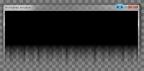 Window minimized with aurora transition
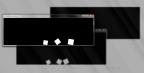 Window over contrast screen
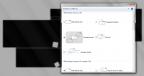 Settings window over contrast screen
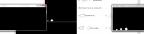 Window warped to opposite edge
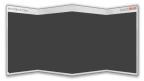 Window closed with fold transition
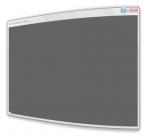 Window minimized with jellify transition
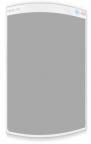 Window minimized with jellify transition
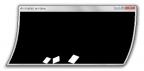 Jelly-like wiggling window
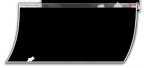 Jelly-like wiggling window
 Liquification transition of minimized window
 Moved window leaving trail of pixi dust
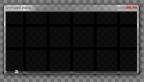 Windows being shuffled on focus change
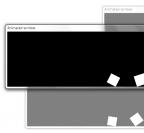 Transparent inactive windows
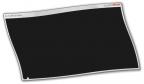 Window being twirled out while minimizing
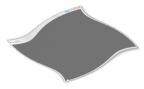 Window being twirled out while minimizing
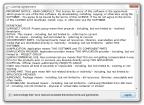 License agreement prompt
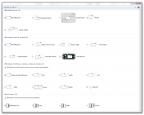 Settings window with list of all effects
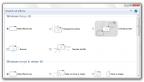 Settings window
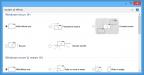 Settings window adapted to system theme
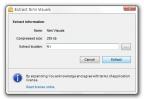 Self-extracting archive for Nimi Visuals
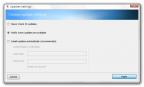 Auto-update settings
Notice:
Images above might have been digitally enhanced/retouched and might not present latest project build.