Press kit for Nimi Places for Web
Looking for more events on Nimi Places for Web?
This page displays only latest event related to Nimi Places for Web release. Click here to browse more events related to Nimi Places for Web.
Newest release of Nimi Places for Web gets very close to - or even better than - desktop version experience. With newest addition of "action screen", users can now quickly glance over some of browsing related data like recently visited pages, or installed apps. View between containers and action screen can be quickly toggled by pressing button in the middle bottom of the screen, showing given mode depending on currently active. For convenience last used view mode is remembered localy (even in server mode) and restored for new tab.
- Added action screen.
- Added list of installed apps to action screen.
- Added list of recently visited pages to action screen.
- Added view modes to places container.
- Fixed connection retry box in popup.
- Fixed context menu position/overlapping issues.
- Fixed drag & drop of not selected items.
- Fixed multimedia preview issue.
- Fixed opening multiple pages.
- Fixed scroll when over not selected items.
- Updated context menu behaviour.
- Other changes, fixes and updates.
Mentioned projects
- Nimi Places
- Organizes desktop into containers, displaying files and folders.
- Nimi Places for Web
- Organizes start-page into customizable containers, displaying bookmarks & files.
You like this post?
Using buttons below you can quickly share it with others.
Notice:
The share anchors above have been provided in good faith. All trademarks and registered trademarks are the property of their respective owners. To the best of our knowledge, including but not limited to, sharing subject is not affiliated with, nor has been authorized, sponsored, or otherwise approved by trademarks respective owners.
The buttons above are anchors (links) set to be opened in a new window.
Note to Editors
- Before publishing please check publishing guidelines section.
- Project icons, screenshots and related images are available under media kit section of this page.
- General project information, statistics and other related data is available under fact sheet section of this page.
Press contact
If you require more information about Nimi Places for Web, or would like to schedule an interview please do not hesitate to contact us.
Looking for more information about Nimi?
Basic information about Nimi can be found here.
Fact sheet
General overview
Organizes start-page into customizable containers (each having individual settings e.g.: alignment, size, title) - displaying bookmarks and files as icons/thumbnails on scrollable surfaces. Supported media formats can be quickly: previewed, listened, played using in-built multimedia fronted.
Bookmarks can be managed like like classic files: deleted, renamed etc. but also labeled.
Elements can be searched using search frontend.
Looking for Nimi Places for Web development details?
Click here to open Nimi Places for Web changelog.
Key features
"Action screen" category lists features of the action screen.
- Apps list
- Recently viewed
"Container customization" category lists features related to container customization.
- View modes (in Places)
"Container features" category lists features related to containers and those functionality.
- Smooth scrolling
"Files and bookmarks productivity features" category lists features intended to enhance productivity when working with files and bookmarks.
- Bookmarks thumbnails
- Image thumbnails
- Image viewer
- Media preview
- Video thumbnails
"Language localization" category lists features related to language localization e.g: in-built localizations.
- English
- Polski
"Orgnaize files and bookmarks" category lists features related to files and bookmarks organization.
- Container name label
- Customizable elements order
- Detailed search
- Labels
- Navigation bar search
"Storage modes" category lists supported storage modes (types).
- Local storage
- Server mode
"Workspace customization" category lists features related to workspace customization.
- Adjustable wallpaper
- Auto color adjust
- Percentage layout
Publishing guidelines
When writing about Nimi Places for Web in text, following general projects naming guideline should be followed:
- Name should never be in plural or possessive.
- Name capitalization should be unaltered.
- Name abbreviations should consist of each word first letter, however lower-case starting words can be omitted when resulting abbreviation would consists at least 2 characters.
Internal Nimi Places for Web project name abbreviation is NPW.
- Do not alter graphics: colour (excluding technical necessary changes), proportions, spacing or any other aspect of those.
- Do not overlap graphics with other visual elements.
- Align graphics with enough spacing (2 em or greater) to other elements.
Media kit
 16x16px
 32x32px
 48x48px
 64x64px
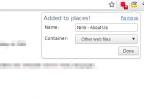 Bookmarking webpages
 Place type container
 Bookmarks searching
Notice:
Images above might have been digitally enhanced/retouched and might not present latest project build.